
Choosing an uncensored AI image generator: 7 Best Tools can be confusing when different platforms offer different levels of creative freedom, image quality, editing features, and privacy. Some tools work directly in a browser, while others let users run AI models on their own computers for greater control over the generation process.
Thank you for reading this post, don't forget to subscribe!The right choice depends on what you want to create. A beginner looking for artistic illustrations may need a simple, free tool, while a professional creator may prefer advanced image editing, custom models, or consistent characters across multiple images.
In this guide, we compare seven options, explain their main strengths and limitations, and show you how to evaluate free plans, privacy policies, and content restrictions before choosing a platform.
What Is an Uncensored AI Image Generator?
An uncensored AI image generator is an artificial intelligence tool designed to provide greater creative flexibility than conventional image generators. Depending on the platform and model, it may allow a wider range of fictional characters, artistic themes, fantasy scenes, mature themes, and unconventional visual concepts.
These tools generally use text-to-image models to turn written prompts into images. Some also support image-to-image generation, inpainting, outpainting, and other editing techniques.
However, the word uncensored does not have one universal technical definition. A platform may allow more artistic freedom while still applying restrictions to certain prompts, uploaded photographs, or generated results.
How Does an Uncensored AI Image Generator Work?
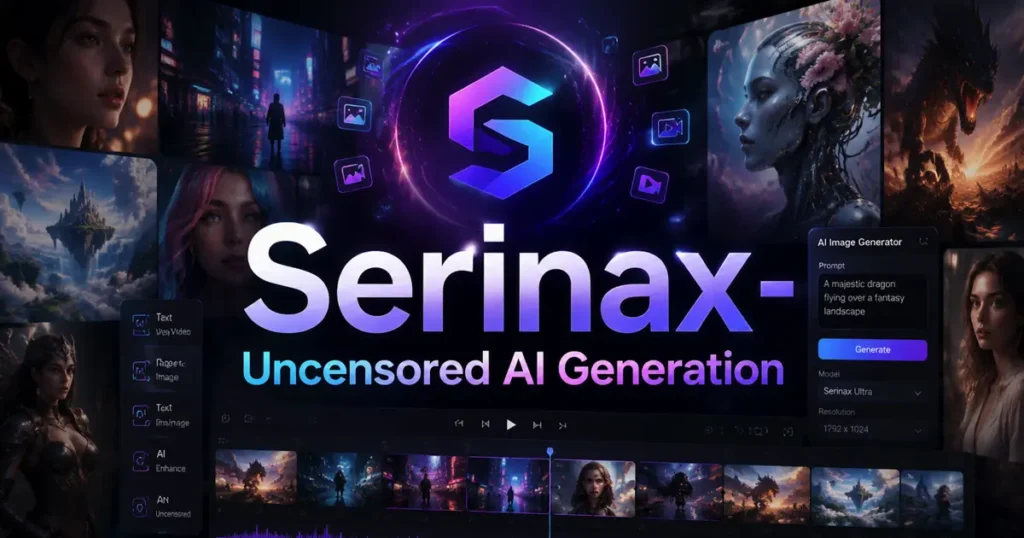
Most AI image generators follow a similar process. The user enters a description, the model interprets the requested objects and visual style, and the system generates an image based on patterns learned during training.
The final result depends on several factors, including the underlying model, prompt quality, image dimensions, available settings, and any safety filters applied by the platform.
For example, a prompt describing a cinematic fantasy landscape may specify the lighting, environment, color palette, perspective, and atmosphere. A more detailed prompt can help the model understand the intended composition.
Who Should Use These Tools?
An uncensored AI image generator may be useful for:
- Digital artists creating unusual fantasy illustrations or experimental artwork.
- Content creators producing original visual concepts and character designs.
- Designers exploring different compositions before developing a final project.
- Hobbyists learning about AI art, image editing, and custom models.
Users should always respect applicable laws, platform rules, intellectual property rights, and the privacy and consent of people depicted in images.
7 Best Uncensored AI Image Generator Tools
The following options cover different needs, from browser-based image creation to locally installed open-source workflows. They are not presented as a verified performance ranking; the best choice depends on the model, settings, current policies, and your requirements.
1. Mage — Best for Browser-Based AI Art
Mage is an online AI image-generation platform that provides access to different models and creative workflows. It is worth considering if you want to experiment with AI-generated images without building a complicated local setup.
Its appeal is the convenience of a browser-based interface and access to different model styles. Depending on the model and current plan, available features and content permissions can vary.
Main advantages: Easy access, model variety, and a convenient workflow for experimenting with different visual styles.
Limitations: Some features may require a paid plan, and users should review current content policies, generation limits, and privacy terms.
Best for: Creators who want to explore AI image generation online without managing their own models.
2. Stable Diffusion — Best for Customization
Stable Diffusion is a family of image-generation models used in many creative applications. Depending on the particular model, interface, and license, it can support a broad range of artistic styles and customization options.
Users can experiment with model checkpoints, LoRAs, prompts, and image-generation settings to develop a consistent visual style. Running a compatible model locally also gives users more control over where their prompts and images are processed.
Main advantages: Extensive customization, a broad model ecosystem, and the option to run compatible models on your own hardware.
Limitations: Setup can require technical knowledge, and some models need substantial graphics memory. Licenses and permitted uses differ between models.
Best for: Artists and advanced users who want control over model selection and generation settings.
3. ComfyUI — Best for Advanced Workflows
ComfyUI is a node-based interface for building AI image-generation workflows. Instead of relying on a single simplified prompt box, users connect different nodes to control models, prompts, sampling, image processing, and other operations.
It can work with compatible Stable Diffusion models and other supported workflows. When configured locally, it provides considerable flexibility over the generation process.
Main advantages: Detailed workflow control, reusable configurations, and support for complex image-generation pipelines.
Limitations: The node-based interface may overwhelm beginners, and installing models and managing dependencies can take time.
Best for: Technical creators who want repeatable workflows, custom settings, and greater control over image production.
4. Perchance — Best for Trying Free Image Generation
Perchance is known for browser-based creative generators, including AI image-generation experiences. It may be worth exploring if you want to experiment without immediately committing to a subscription.
The exact features, generation limits, and available settings depend on the specific generator you use. Free access should not be confused with guaranteed privacy or unlimited availability.
Main advantages: Accessible experimentation and a relatively straightforward way to explore creative ideas.
Limitations: Output quality, generation speed, available controls, and privacy terms may differ from those of dedicated paid platforms.
Best for: Beginners who want to explore AI art before investing in a more advanced workflow.
5. Venice AI — Best for Privacy-Conscious Users
Venice AI offers AI services that emphasize user privacy and access to different models. Its suitability for image creation depends on the models currently available and the platform’s applicable policies.
Privacy-conscious users should examine how prompts are handled, whether conversations or generated images are retained, and what information may be collected by the service.
Main advantages: A privacy-oriented approach and access to supported AI models through an online interface.
Limitations: Model availability, image-generation features, usage limits, and privacy protections depend on the current service and plan.
Best for: Users who prioritize privacy considerations alongside creative flexibility.
6. PixAI — Best for Anime-Style Artwork
PixAI focuses on AI-generated anime and illustration styles. It can be useful for creators working on fictional characters, stylized portraits, concept art, and visually consistent artwork.
The platform’s model selection and available tools make it particularly relevant to people who prefer anime-inspired visuals rather than strictly photorealistic images.
Main advantages: Anime-oriented styles, character-focused artwork, and a model ecosystem designed around illustration.
Limitations: Results depend on the selected model and prompt. Some features and content categories may be restricted, and commercial-use rights need to be checked.
Best for: Anime artists, character designers, and fans of stylized AI illustrations.
7. Forge Neo — Best for Local Image Generation
Forge Neo is an interface for working with compatible image-generation models locally. It can appeal to users who prefer a more direct graphical interface instead of building every workflow through nodes.
When used with locally installed models, image generation can take place on your own computer. This can provide more control over files and prompts, although the precise privacy benefits depend on your configuration and whether any external services are involved.
Main advantages: Local model execution, configurable generation settings, and an alternative to fully hosted image-generation platforms.
Limitations: Hardware requirements, model compatibility, installation steps, and maintenance can be challenging for beginners.
Best for: Users who want a local workflow and are comfortable installing AI models.
Comparison Table 1: Best Uncensored AI Image Generator Tools
| Tool | Best use | Ease of use | Main advantage |
|---|---|---|---|
| Mage | Online AI art | Easy | Browser-based access |
| Stable Diffusion | Custom image creation | Moderate | Model flexibility |
| ComfyUI | Advanced workflows | Difficult for beginners | Detailed workflow control |
| Perchance | Casual experimentation | Easy | Accessible creative tools |
| Venice AI | Privacy-conscious workflows | Easy | Privacy-oriented features |
| PixAI | Anime artwork | Easy to moderate | Illustration-focused models |
| Forge Neo | Local generation | Moderate | Local configuration options |
Note: This comparison describes general use cases, not independently measured image quality. Free access, content restrictions, and supported models can change.
How to Choose the Best Uncensored AI Image Generator
Selecting a platform becomes easier when you start with the type of images you need instead of choosing a tool based only on its marketing claims.
1. Identify Your Image Style
Different models are optimized for different visual results. Some work well for photorealistic portraits, while others are better suited to anime, fantasy landscapes, concept art, or graphic illustrations.
Before choosing a platform, consider whether you need realistic textures, expressive characters, accurate text in images, or a particular artistic style.
2. Compare Free and Paid Features
A free AI image generator may be sufficient for occasional experimentation, but regular creators may need higher resolution, faster processing, batch generation, or advanced editing controls.
Check the actual limits before subscribing. A platform may advertise free generation but restrict image downloads, access to specific models, or the number of daily generations.
3. Review Privacy and Data Handling
Privacy is especially important when working with original artwork, business concepts, or personal photographs.
Before uploading files, check whether the service stores prompts and images, uses submitted content for model improvement, offers deletion controls, and provides a clear privacy policy. A local setup may reduce exposure to third-party servers, but it is not automatically secure if additional online services are connected.
4. Check Image Quality and Editing Features
Look beyond a single impressive sample image. Evaluate whether the tool consistently follows prompts, produces coherent details, maintains character appearance, and lets you make targeted changes without regenerating the entire image.
Useful features include:
- Image-to-image: Uses a source image as a starting point.
- Inpainting: Changes a selected region of an image.
- Outpainting: Extends an image beyond its original boundaries.
- Upscaling: Increases image dimensions or perceived detail.
- Reference images: Helps guide composition, appearance, or style.
These features can matter more than a platform’s claims about unrestricted generation.
Comparison Table 2: Online vs. Local AI Image Generation
| Feature | Online generator | Local generator |
|---|---|---|
| Initial setup | Usually simple | May require installation |
| Hardware | Mostly handled by provider | Uses your computer or rented hardware |
| Privacy control | Depends on provider policy | Greater control if fully offline |
| Customization | Depends on platform | Often extensive |
| Cost | May use subscriptions or credits | Hardware and electricity costs; software may be free |
| Maintenance | Mostly handled by provider | User manages models and updates |
| Best suited for | Beginners and convenience | Advanced users and customization |
Neither option is automatically better for everyone. An online tool is often more convenient, while a local workflow can provide greater control over supported models, settings, and data processing.
How to Use an Uncensored AI Image Generator
Most image generators follow a straightforward workflow, although the interface differs between platforms.
Step 1: Select a Suitable Tool
Choose an online or local option based on your technical experience, budget, image style, and privacy requirements. Review the current terms before using a tool for commercial projects or mature fictional artwork.
Step 2: Write a Clear Prompt
Describe the subject, environment, artistic style, composition, lighting, and intended mood. Specific visual details generally provide more useful direction than vague requests.
For example, a prompt for a fantasy illustration could describe a fictional adult explorer standing in a misty mountain valley, cinematic lighting, detailed fabric textures, atmospheric depth, and a wide-angle composition.
Step 3: Adjust the Generation Settings
Depending on the tool, you may be able to change aspect ratio, resolution, model, number of outputs, or other generation parameters. Start with the default settings, then adjust them based on the results.
Step 4: Review and Refine the Image
Inspect important details such as hands, facial features, object placement, and background consistency. Use inpainting or another editing feature when you need to correct one part without changing the entire composition.
Step 5: Save and Organize Your Results
Save useful outputs in an organized folder and retain the prompts or settings that produced them. If the images are intended for commercial publication, check the relevant model license and the platform’s terms of use first.
Best Practices for Better AI-Generated Images
Good results depend on the quality of your instructions as well as the model itself.
- Be specific: Describe the subject, setting, camera angle, composition, and lighting.
- Keep prompts focused: Too many conflicting instructions can produce inconsistent results.
- Experiment systematically: Change one or two prompt details at a time to understand their effect.
- Use reference controls when available: These can help preserve the intended style or composition.
- Review outputs before publishing: Correct visual errors and check the image’s intended use.
- Protect sensitive material: Avoid uploading private photographs or confidential business assets to services you do not trust.
For character creation, specify consistent details such as clothing, hairstyle, age range, color palette, and environment. Reusing a structured prompt can help create a coherent series, although it cannot guarantee an identical character in every generation.
Safety, Privacy, and Responsible Use
An uncensored AI image generator is a creative tool, not a guarantee that every request is appropriate, lawful, or permitted by the service.
Use these platforms for lawful creative projects and fictional adult characters. Never create or distribute sexual imagery involving minors, or intimate images of real people without their informed consent. Do not assume that a publicly accessible photograph can be used to create or publish any kind of altered image.
Also consider copyright, trademark, publicity rights, and the license of the underlying model. Rules differ by jurisdiction, and permission to generate an image does not necessarily mean you have unrestricted rights to publish or sell it.
Common Mistakes to Avoid
Many users choose tools based on claims such as “100% uncensored” or “completely private” without examining what those claims mean.
Other common mistakes include assuming every model supports the same content, ignoring download restrictions, overlooking hardware requirements, and using generated images commercially without reviewing the relevant license.
A careful comparison of features, policies, privacy, and total cost will usually lead to a better decision than choosing a platform solely because it advertises fewer filters.
Internal Linking Suggestions for Cognetify
Aapki website ke existing content ko dekhte hue, neeche diye gaye links is article ke context se relevant hain. Inhein article ke related paragraphs mein naturally add karein.
1. Best AI Tools for Beginners
Suggested anchor text: best AI tools for beginners
Placement: Introduction ke baad, jab beginner-friendly tools ka zikr ho.
2. Best Free AI Tools for Students
Suggested anchor text: best free AI tools
Placement: Free AI tools aur budget considerations wale section mein.
3. Free AI Tools for SEO
Suggested anchor text: free AI tools for SEO
Placement: Content creators ke workflow aur AI-assisted content creation wale section mein.
Ye aapki apni website ke internal links hain. Article ke main content mein koi external website link add karne ki zaroorat nahi hai.
FAQs About Uncensored AI Image Generator Tools
What is the best uncensored AI image generator?
The best option depends on your needs. Mage is worth exploring for browser-based generation, while Stable Diffusion and ComfyUI offer more customization for users comfortable with local workflows.
Are uncensored AI image generators free?
Some offer free access or limited credits, while others require subscriptions or paid usage. Free availability and limits vary by platform and can change.
Can I use an uncensored AI image generator without installing software?
Yes. Browser-based options such as Mage and Perchance let users explore image generation without setting up a local model. Their available features depend on the service.
Is Stable Diffusion an uncensored AI image generator?
Stable Diffusion is a family of image-generation models. Content restrictions and capabilities depend on the specific model, interface, configuration, and applicable license.
Which AI image generator is best for anime art?
PixAI isseful starting point for anime-style illustrations and character designs. Other compatible models may also produce anime art, depending on the style and settings
Are online AI image generators private?
Not necessarily. Privacy depends on the provider’s data-retention practices, security measures, and terms. Read the privacy policy before uploading personal or confidential material.
Is a local AI image generator better than an online tool?
A local generator can provide greater control over models and data processing, but it requires compatible hardware and setup. An online tool is usually easier to start using.
What is the difference between text-to-image and image-to-image generation?
Text-to-image creates an image from a written prompt. Image-to-image starts with an existing image and uses a prompt or model settings to transform or refine it.
Can I use AI-generated images commercially?
Sometimes, but permission depends on the platform’s terms, the model’s license, and applicable laws. Review these conditions before selling, advertising with, or distributing generated images.
How can I improve the quality of AI-generated images?
Use clear prompts that specify the subject, composition, lighting, and style. Experiment with settings, use suitable reference controls, and correct errors with available editing features.
Do uncensored AI image generators have content restrictions?
Yes, many do. The scope of restrictions varies by provider and model, and “uncensored” does not necessarily mean unrestricted access to every type of content.
Can I create consistent characters with AI image generators?
Yes, many workflows support reference images, character controls, or reusable prompts. Results vary, so you may need to refine settings and use editing tools to maintain consistency.
Conclusion: Which Uncensored AI Image Generator Should You Choose?
The right uncensored AI image generator depends on your creative goals, technical experience, budget, and privacy expectations. Mage and Perchance are options to explore for browser-based experimentation, PixAI is worth considering for anime illustrations, and Stable Diffusion, ComfyUI, or Forge Neo may suit users who want more control over local generation.
Before choosing a platform, compare its actual features, model compatibility, current content policies, privacy practices, and licensing terms. Test a few representative prompts rather than relying on marketing claims alone.
A thoughtful choice will help you create better images, avoid unnecessary costs, and build a workflow that fits your needs.

- How to Use Canva: 7 Easy Steps for Beginners - October 19, 2026
- How Much Is DEF Per Gallon in 2026? Best Prices & Savings - October 16, 2026
- Best AI Tools for Presentationin 2026 - October 15, 2026