
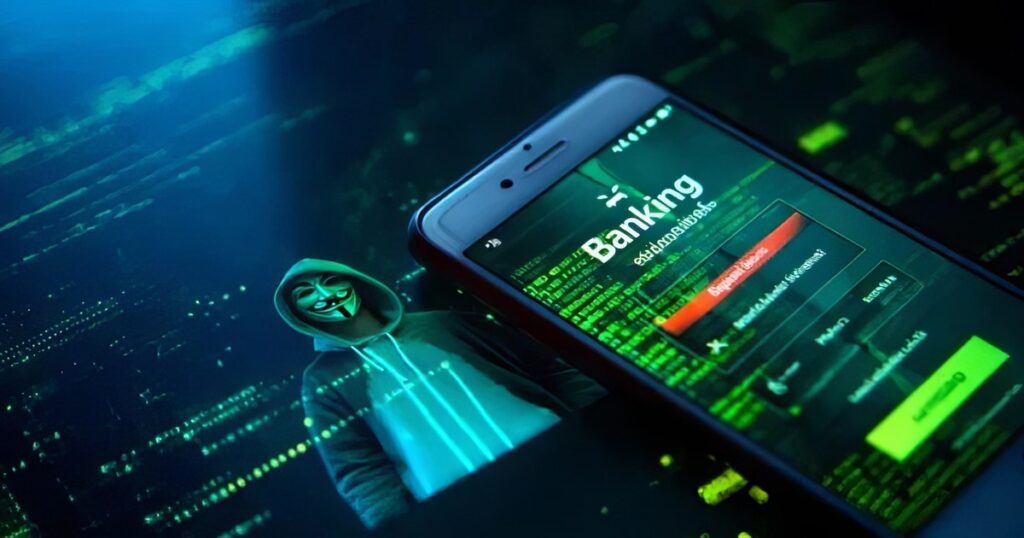
Mobile banking is growing faster than ever before, and so are the hackers who want to steal your money. Learning how to secure your mobile banking app from hackers is the most important thing every smartphone user must do in 2026. Whether you use the best mobile payment apps or rely on digital wallet services for daily transactions, your security habits decide whether your money stays safe or ends up in a criminal’s hands.
Thank you for reading this post, don't forget to subscribe!Rise of Mobile Banking and Digital Payments
According to Statista’s February 2026 report, over 3.6 billion people worldwide use mobile banking apps every single day. Digital payment platforms like Apple Pay, Google Pay, and bank-specific apps have completely replaced the physical wallet for millions of users. Mobile banking transactions crossed $9.1 trillion globally in 2026, making smartphones the number one target for cybercriminals chasing financial data.
Importance of Protecting Your Financial Data
On the dark web in 2026, a stolen bank login sells for between $40 and $200, depending on the account balance inside. Once a hacker enters your account, identity theft quickly follows — damaging your credit score, draining your savings, and destroying your financial reputation. Strong digital banking security habits are the only real wall standing between your money and cybercriminals today.
What You Will Learn in This Guide
This complete banking app safety guide will teach you exactly how hackers attack mobile banking apps, the essential mobile banking security tips every user must follow, and the advanced cybersecurity practices that professionals rely on daily. Furthermore, you will learn the warning signs that your app may already be compromised — and exactly what to do about it right away.
Why Mobile Banking Apps Are a Target for Hackers
Mobile banking apps are attacked every single day because they hold the most valuable data a hacker can ever steal. Furthermore, most everyday users never take the basic steps needed to protect their secure mobile banking transactions from these growing cybercriminals.
Banking Malware
Banking malware is one of the most dangerous threats to your mobile banking security today. This harmful software is secretly downloaded onto your phone — often hidden inside a free game, an app, or a PDF file. Once installed, it silently records your banking app username, password, and even your two-factor authentication codes, then sends everything directly to a hacker waiting on the other side.
Phishing and Smishing Attacks
Phishing attacks arrive as fake emails, while smishing attacks come through SMS messages that look completely official. These messages pretend to be from your real bank — warning you about a suspicious transaction or account suspension. However, when you click the link, you land on a fake website that instantly steals your banking credentials and financial data without giving you any warning at all.
Fake Banking Apps
Fake banking apps are built by hackers to look exactly like the real banking application on your phone. These dangerous apps are sometimes found outside official stores — especially on third-party download websites. Once you enter your username and password into a fake banking app, your mobile banking security is completely broken. Therefore, always verify that every app comes from an officially verified developer before installing anything.
SIM Swap Fraud and MITM Attacks
SIM swap fraud happens when a hacker convinces your mobile carrier to transfer your phone number to their own SIM card — giving them full access to your two-factor authentication codes instantly. Meanwhile, man-in-the-middle (MITM) attacks on public Wi-Fi networks silently intercept your encrypted transactions mid-transfer. Consequently, both attacks can completely empty your mobile banking app without you realising anything has gone wrong at all.
Identity Theft and Financial Data Leaks
Identity theft and financial data leaks are the two most devastating outcomes of poor mobile banking fraud prevention in 2026. Hackers use stolen financial data to open credit cards, apply for loans, and make large purchases in your name. Additionally, leaked banking credentials are sold in bulk on the dark web and used in credential stuffing attacks — automatically trying your login across dozens of other platforms at the same time.
Essential Security Tips to Protect Your Mobile Banking App
If you really want to know how to secure your mobile banking app from hackers, these eight tips are the most important place to start right now. Most people skip these steps — and that is exactly why hackers keep winning every single day without much effort.
Use Strong and Unique Passwords
Your password is the front door to your mobile banking app — and a weak one is like leaving that door completely wide open for anyone. Never use your name, birthday, or “123456” as a password for anything financial. Instead, create a long password mixing uppercase letters, numbers, and symbols together. A strong, unique password for every separate banking app is one of the easiest mobile banking security tips you can apply right now for free.
Enable Two-Factor Authentication (2FA)
Two-factor authentication adds a second lock on your mobile banking app that hackers simply cannot break through with just a stolen password alone. After entering your password, a one-time code is sent to your phone or email for final confirmation. Even if a hacker steals your password through phishing attacks, they still cannot get inside without that second code arriving. Therefore, always turn two-factor authentication on immediately inside your banking settings without delay.
Keep Your Banking App Updated
Every app update released by your bank includes critical cybersecurity practices and patches that close known security holes permanently. Hackers actively hunt for users running old app versions because those versions carry known weaknesses that are easy to exploit quickly. Therefore, turn on automatic updates for your mobile banking app right now. An updated app blocks dozens of different banking malware attacks before they even get started on your device.
Download Apps Only from Official Stores
Only download your banking app from the official Google Play Store or Apple App Store — never from a random website or a link sent through a suspicious message. Fake banking apps built by hackers are almost impossible to spot visually from the outside at first glance. However, they are rarely found inside official stores because both Google and Apple run strict security screening processes. This one simple rule alone protects your mobile banking security from a huge range of threats completely.
Avoid Public Wi-Fi for Banking
Public Wi-Fi at airports, hotels, and coffee shops is a hacker’s favourite hunting ground for stealing mobile banking transactions from unsuspecting everyday users. These networks are unencrypted — meaning anyone nearby can potentially see your data as it travels freely through the air. So next time you need to check your balance or transfer money, always switch to your personal mobile data connection first. Your private connection is the true foundation of secure mobile banking transactions every single time.
Enable Biometric Security
Biometric security — fingerprint scanning and Face ID — is currently one of the strongest protections available for your mobile banking app in 2026. Unlike passwords, your fingerprint and face cannot be guessed, stolen through phishing attacks, or copied by banking malware running quietly in the background. Most modern smartphones and banking apps already fully support biometric security login. Simply go to your app settings and enable it right now — it takes less than sixty seconds to set up completely.
Log Out After Every Session
Staying permanently logged into your mobile banking app all day is a serious digital banking security mistake that millions of users make every day without thinking about the risk. If your phone is ever lost, stolen, or picked up by someone else, an open banking session gives them instant access to everything stored inside. Therefore, always press the logout button after finishing any mobile banking transaction — no matter how small or routine that particular session was for you today.
Monitor Your Transactions Regularly
Checking your banking transactions every single day is one of the most powerful mobile banking fraud prevention habits you can build, starting right now. Hackers often begin with tiny test transactions — stealing small amounts first to check if you are paying any attention. Catching an unknown charge early means you can freeze your account before serious damage is done to your savings. Most mobile banking apps now send instant transaction alerts — turn them on without any delay whatsoever.
Quick Comparison — Mobile Banking Security Methods
| Security Method | Protection Level | Difficulty | Cost |
|---|---|---|---|
| Strong Password | Medium | Easy | Free |
| Two-Factor Authentication (2FA) | Very High | Easy | Free |
| Biometric Security | Very High | Very Easy | Free |
| VPN for Banking | High | Medium | Paid/Free |
| Antivirus App | High | Easy | Paid/Free |
| App Updates | High | Very Easy | Free |
| Avoid Public Wi-Fi | High | Easy | Free |
| Transaction Monitoring | Medium | Easy | Free |
Advanced Security Practices for Mobile Banking
Basic tips are a great start, but truly knowing how to secure your mobile banking app from hackers means going one level deeper with these advanced habits. These practices are used by security professionals and smart everyday users who never want to become a hacking victim at any point.
Use a Secure VPN for Financial Transactions
A VPN creates a private, encrypted tunnel between your phone and the internet — making it almost impossible for hackers to intercept your mobile banking transactions on any network outside your home. Whenever you connect outside your home, turn your VPN on before opening your banking app at all. If you regularly use digital payment apps for everyday purchases, a reliable VPN is one of the smartest investments you can make for your digital banking security in 2026.
Enable Device Lock and Remote Wipe
Your phone’s screen lock is your last physical line of defence against unauthorised access to your mobile banking app when you are not holding it. Set a strong PIN or use biometric security so that nobody can open your phone without your personal permission. Furthermore, enable Remote Wipe on both Android and iPhone — this lets you completely erase all financial data from a lost or stolen device before a hacker gets even one chance to access your account from anywhere.
Install a Mobile Security App
A trusted mobile security app actively scans your phone for banking malware, phishing attacks, and suspicious app behaviour in real time around the clock without stopping. Apps like Bitdefender, Kaspersky, and Norton Mobile Security are consistently rated the best for mobile banking fraud prevention in 2026. If you are already using secure fintech digital wallets on your phone, pairing them with a solid antivirus adds a powerful extra layer that your bank’s app simply cannot provide alone.
Restrict App Permissions
Many apps on your phone quietly request permissions they do not actually need — like access to your camera, contacts, or microphone for no clear reason. These unnecessary permissions can be exploited by hidden banking malware to spy on your mobile banking app activity without your knowledge. Therefore, go to your phone settings right now and carefully review every single app’s permissions. Keeping app permissions tight is a simple but genuinely powerful cybersecurity practice that most everyday users completely overlook and ignore.
Best Practices for Mobile Banking App Developers
Building a truly safe mobile banking app is not just about adding features — it is about making security the absolute foundation of every decision from day one of development. Developers who understand how to secure your mobile banking app from hackers at a technical level build platforms that users can genuinely trust with their money and personal identity every day.
Implement End-to-End Encryption and Secure APIs
End-to-end encryption scrambles all data travelling between a user’s phone and the bank’s server — making it completely unreadable to anyone who intercepts it along the way. Every modern mobile banking app must use AES-256 encryption for stored data and TLS 1.3 for all data in transit. Furthermore, most mobile banking app breaches happen through poorly secured APIs — not the app front end itself. Developers must enforce strict API authentication, rate limiting, and input validation on every single endpoint before any product goes live for public users.
Use Token-Based Authentication and Run Regular Security Audits
Token-based authentication replaces your actual password with a temporary digital token that expires automatically after a short window — making stolen tokens completely useless within minutes of capture. Additionally, independent penetration testing should be carried out at least twice every year, especially after major updates. Teams building platforms that handle AI-driven personal finance tools must treat regular security audits as a non-negotiable business requirement in 2026 and beyond, not an optional extra to be skipped.
Warning Signs Your Mobile Banking App May Be Compromised
Sometimes hackers get inside your mobile banking app without making any obvious noise — but your phone always leaves clues behind if you know what to look for carefully. Catching these warning signs early can genuinely save your entire savings account before the damage becomes impossible to reverse fully.
- Unknown transactions appearing in your account history that you never made — even charges of one or two dollars should never be ignored under any circumstances at all
- Your banking app crashes constantly or behaves strangely — opening very slowly, freezing mid-session, or logging you out automatically without any clear reason
- Unauthorised login alerts arriving via SMS or email, telling you that someone accessed your account from an unfamiliar device or a completely unknown location
- Unexpected OTP requests landing on your phone for transactions you never started — a clear sign that someone else already holds your banking credentials and is actively trying to use them right now
What to Do If Your Mobile Banking App Gets Hacked
Acting fast is the only thing that truly limits the damage when your mobile banking app is compromised by a hacker successfully. Furthermore, every minute you wait gives the attacker more time to drain your account and carefully cover all their tracks behind them.
Contact Your Bank and Freeze Your Account
The very first thing you must do is call your bank’s official fraud helpline immediately and clearly report the breach to them. Most banks have a dedicated mobile banking fraud prevention team available twenty-four hours a day, seven days a week. Tell them exactly which transactions look suspicious and precisely when you first noticed the problem occurring. Additionally, use your app’s built-in card freeze feature to stop all outgoing transactions instantly — just as understanding how big tech secures digital payments helps you choose safer platforms, knowing how to freeze fast genuinely limits your financial losses right away.
Change All Passwords and Scan for Malware
As soon as the breach is reported, change your banking app password immediately from a completely safe and trusted device — not the compromised phone itself. Choose a brand new, strong password that you have never used anywhere before in your life. Change your email account password too, since hackers who access your email can reset every other account you own through it. Furthermore, run a full deep scan using a trusted security app to remove any banking malware or hidden banking Trojans still running silently on your device right now without your knowledge.
Future of Mobile Banking Security
The way banks protect your money is changing faster than ever before, and the next generation of mobile banking security tools is already being rolled out across the globe in 2026. Understanding what is coming next helps every user and developer permanently stay one step ahead of hackers at all times.
AI Fraud Detection and Behavioural Biometrics
AI fraud detection systems now analyse thousands of data points in real time — studying your spending habits and login behaviour to instantly flag anything unusual inside your mobile banking app, the moment it happens. Meanwhile, behavioural biometrics studies the unique way you personally interact with your phone — how hard you press, how fast you type — and immediately locks out anyone whose behaviour does not match your established personal pattern. Major banks using AI-powered personal finance technology already report up to 60% fewer fraud cases compared to traditional detection systems used just two years ago.
Blockchain Authentication and Passwordless Banking
Blockchain-based authentication removes the need for a central password database entirely — leaving hackers absolutely nothing to steal in a traditional large-scale data breach. Furthermore, passwordless banking security is rapidly becoming the new global standard across major financial institutions in 2026. Instead of passwords, users authenticate through biometric security — fingerprint, Face ID, or a hardware security key. This single shift completely eliminates credential stuffing, phishing attacks, and weak password vulnerabilities simultaneously. Additionally, these systems pair powerfully with secure digital payment gateways to create transactions that are permanently tamper-proof and fully transparent for everyone involved.
Future Mobile Banking Security Technologies — 2026 and Beyond
| Technology | What It Does | Available in 2026 | Threat It Stops |
|---|---|---|---|
| AI Fraud Detection | Flags unusual transactions instantly | Yes — widely available | Unauthorized transfers |
| Behavioral Biometrics | Identifies you by how you use your phone | Growing fast | Account takeovers |
| Blockchain Authentication | Removes central password databases | Early adoption | Mass data breaches |
| Passwordless Banking | Replaces passwords with biometrics | Yes — widely available | Credential stuffing |
| End-to-End Encryption | Scrambles all data in transit | Standard now | MITM attacks |
| Token-Based Authentication | Uses expiring tokens instead of passwords | Standard now | Session hijacking |
Here are the most important future habits every smart mobile banking user should build starting today:
- Enable AI-powered alerts inside your banking app settings so that suspicious transactions are flagged and blocked before they ever process completely
- Switch to passwordless login using your fingerprint or Face ID, the very moment your bank makes this option available inside your account settings
- Stay informed about new cyber threats by following your bank’s official security blog or trusted cybersecurity practices resources on a regular, ongoing basis
Conclusion
Learning how to secure your mobile banking app from hackers is no longer something you can afford to delay — because hackers are certainly not waiting for you to catch up with them. Every tip in this guide, from enabling two-factor authentication to avoiding public Wi-Fi, from using biometric security to monitoring your transactions daily, works together to build a wall around your money that is genuinely very hard to break through at any point.
The hackers targeting your mobile banking app are real, organised, and getting smarter every single year without stopping. However, you now know exactly how they think, how they attack, and most importantly — how to stop them cold before they reach your money. Whether you are protecting personal savings or running a business handling secure mobile banking transactions, the cybersecurity practices covered in this guide give you everything you need to stay safe and protected in 2026 and well beyond. Moreover, explore how the best mobile payment apps of 2026 are already building stronger digital banking security directly into their platforms for every single user today.
FAQs
Is Mobile Banking Safe to Use?
Yes, mobile banking is safe — but only when you consistently follow the right cybersecurity practices every day. Banks invest millions into end-to-end encryption, AI fraud detection, and two-factor authentication to protect your account. However, the biggest risks always come from user habits — weak passwords, public Wi-Fi use, and ignoring app updates regularly. Follow the mobile banking security tips in this guide, and your account stays strongly protected against all common threats.
Can Hackers Access My Bank Account Through My Phone?
Yes, hackers can access your mobile banking app through banking malware, phishing attacks, SIM swap fraud, and MITM attacks especially when your phone has no security app installed, and passwords are dangerously weak. According to Kaspersky’s 2026 cybersecurity report, mobile banking Trojans increased by 32% in the past twelve months alone, making phone-based attacks the fastest-growing form of financial data theft worldwide right now.
How Do I Know If My Banking App Is Secure?
A secure mobile banking app always uses end-to-end encryption, offers two-factor authentication, supports biometric security login, and is regularly updated by the bank’s development team. Furthermore, check if your banking app appears on the official Google Play Store or Apple App Store with thousands of verified user reviews. You can also verify your bank’s digital banking security certifications directly on their official website under their privacy and security policy section for complete peace of mind.
Should I Use a VPN for Mobile Banking?
Yes, using a trusted VPN for mobile banking transactions is one of the smartest daily habits you can build, especially when you are completely away from your secure home network. A VPN creates a fully encrypted tunnel that prevents man-in-the-middle (MITM) attacks on public Wi-Fi completely every time you connect. However, always choose a paid, reputable VPN provider because free VPN apps often secretly log and sell your data, which completely defeats the entire purpose of protecting your mobile banking security in the first place.
What Is the Safest Way to Use Mobile Banking Apps?
The safest way to use your mobile banking app combines several strong habits practiced together consistently. Always enable two-factor authentication and biometric security without exception. Only use your personal mobile data connection — never public Wi-Fi — for any banking transactions whatsoever. Keep your app updated, download only from official stores, log out after every session, and monitor your account daily for any unknown activity. Together, these steps represent the complete answer to how to secure your mobile banking app from hackers in 2026.
This article is written for informational purposes only and is based on verified cybersecurity data available as of February 2026. Always consult your bank’s official security guidelines for the most current advice specific to your account and region.

- Best Futures Position Size Calculator: Calculate Trading Risk - October 23, 2026
- How to Use Canva: 7 Easy Steps for Beginners - October 19, 2026
- How Much Is DEF Per Gallon in 2026? Best Prices & Savings - October 16, 2026