
The best AI tools for freelance graphic designers are the ones that remove repetitive production work, such as background removal, resizing, upscaling and first-draft concepts, while leaving creative direction, taste and client communication in your hands. In 2026, a solo designer who uses AI well can deliver more projects, respond to briefs faster and spend more billable hours on strategy instead of pixel pushing.
Thank you for reading this post, don't forget to subscribe!But the market is crowded. Every week a new AI image generator, logo maker or design assistant launches, and not every tool is safe for client work or worth the subscription. This guide ranks the 15 most useful AI design tools for freelancers, explains what each one is best for, and shows how to build a workflow that protects your quality, your licensing position and your income.
Whether you design logos, social media graphics, packaging, UI screens or brand identities, you will find tools, comparison tables, pricing considerations and practical tips below.
Quick Answer: Top AI Tools for Freelance Graphic Designers at a Glance
If you only have a minute, this table shows which tool fits which job.
| Tool | Best For | Standout AI Feature | Pricing Model |
|---|---|---|---|
| Adobe Firefly | Commercially safe generation inside Adobe apps | Generative Fill, Generative Expand | Credit-based plans |
| Midjourney | Concept art and moodboards | High-quality text-to-image styles | Paid subscription |
| Leonardo AI | Asset and style-controlled generation | Custom style and model controls | Free tier plus paid |
| Ideogram | Posters and typography-heavy visuals | Readable text inside images | Free tier plus paid |
| Canva | Fast social and marketing content | Magic Design, Magic Edit | Free plus Pro |
| Figma | UI and product design | AI-assisted design and prototyping | Free plus paid seats |
| Kittl | Print-on-demand and typographic design | AI graphic and text effects | Free plus paid |
| Looka | Logo and brand kits | AI logo generator | Per-package purchase or subscription |
| Khroma | Color palette discovery | Palettes learned from your taste | Free |
| Fontjoy | Font pairing | AI-suggested type combinations | Free |
| Remove.bg | Background removal | One-click cutouts | Free preview, paid HD |
| LetsEnhance | Upscaling low-resolution assets | AI image enlargement | Credit-based |
| Runway | Motion graphics and video edits | Generative video tools | Free tier plus paid |
| Uizard | Wireframes and rapid mockups | Sketch-to-screen conversion | Free plus paid |
| ChatGPT / Claude | Briefs, proposals, copy and ideas | Conversational assistant | Free plus paid |
Pricing changes often, so always confirm current plans on each tool’s official website before subscribing.
Why Freelance Graphic Designers Are Adopting AI Tools in 2026
AI is no longer a novelty in creative work. Industry surveys and design-education reports increasingly show that a large share of working designers use generative AI for at least part of their process, and many clients now expect faster turnaround because they know these tools exist.
Faster Turnaround and More Billable Projects
A freelancer has no production team. Every hour spent masking hair, resizing banners for six platforms or hunting for texture stock is an hour you cannot invoice. AI handles these repetitive tasks in seconds, which lets you take on more briefs without working longer days.
Beating Creative Block
Starting from a blank artboard is slow. AI image generators and moodboard tools give you dozens of directions in minutes. You are not copying the output. You are using it as raw material to react to, refine and improve, the same way you would use a reference folder.
Staying Competitive With Agencies and Template Marketplaces
Clients compare your quote with agencies, template sites and AI-powered platforms. Using AI to speed up production lets you quote competitively while still charging for the thing software cannot supply: strategy, taste, brand thinking and accountability.
Expanding Your Service Menu
Tools like Runway and Canva make it easier to offer short animated social assets, pitch decks and simple video edits. For many freelancers, AI is the bridge from “logo designer” to “full visual brand partner.”
What to Look for in AI Design Tools Before You Subscribe
Not every impressive demo is a good business decision. Before adding a tool to your stack, check these five factors.
Commercial Licensing and Output Rights
Your clients will use your work in advertising, packaging and products. Check whether the tool allows commercial use on your plan, whether training data is licensed, and whether the provider offers any legal protection. Adobe, for example, positions Firefly outputs from its own models as designed for commercial use, while partner models inside Adobe products can carry separate terms. Some generators require higher-tier plans for commercial use once a business passes a revenue threshold, so read the terms carefully.
Workflow Integration
A tool that exports cleanly into Photoshop, Illustrator, Figma or Canva saves time. A tool that traps you in a separate browser tab and produces only flat images may slow you down.
Output Editability
Clients ask for changes. Raster-only outputs are harder to revise than layered files or vector paths. When possible, prefer tools that let you edit text, colors and layers after generation.
Pricing Model
Watch for credit systems, generation limits and per-seat charges. A cheap plan that runs out of credits halfway through a client project is not cheap.
Data Privacy and Client Confidentiality
If you upload unreleased logos, product photos or client documents, understand how the tool stores and uses that data. For sensitive projects, use tools that offer privacy controls or avoid uploading confidential assets at all.
15 Best AI Tools for Freelance Graphic Designers in 2026
The tools below are grouped by the job they do best, so you can build a lean stack instead of paying for overlapping subscriptions.
Best AI Image Generation Tools for Designers
These tools turn text prompts and reference images into visuals for concepts, backgrounds, textures and moodboards.
1. Adobe Firefly
Adobe Firefly is the natural starting point for designers who already work in Photoshop, Illustrator or Adobe Express. Features such as Generative Fill and Generative Expand let you extend a canvas, remove objects or add elements without leaving your layers. Adobe markets its own Firefly models as trained on licensed and public-domain content, which is why many freelancers pick it for client work that needs a clear commercial-use position.
Best for: Freelancers inside the Adobe ecosystem who need editable, workflow-friendly AI.
Watch out for: Credit-based usage, and different terms for partner models available inside Adobe apps.
2. Midjourney
Midjourney is still a favorite for concept art, editorial illustration and atmospheric moodboards. It excels at stylized, high-impact imagery and gives you many variations quickly. The trade-off is that outputs are mostly raster images, so you usually need to bring them into Photoshop or another editor for layout, text and brand adjustments. Check the plan requirements for commercial use before delivering anything to clients.
Best for: Concept exploration, mood boards, pitch visuals.
Watch out for: Limited native editing and licensing conditions tied to plan level.
3. Leonardo AI
Leonardo AI is popular for generating consistent assets, such as game art, character concepts, product mockup backgrounds and stylized textures. Its model and style controls help you stay closer to a defined look across a series of images, which matters when you are building a campaign rather than a single picture.
Best for: Series of consistent illustrations and concept assets.
Watch out for: Quality varies by model, so test a few settings before committing to a client direction.
4. Ideogram
AI image generators have historically struggled with text. Ideogram is known for handling typography inside images far better than many competitors, which makes it useful for poster concepts, quote graphics and logo-style layouts. Treat its text as a draft and rebuild final typography in your design software for full control.
Best for: Poster ideas, social quote graphics, typographic concepts.
Watch out for: Always proof spelling and rebuild final type professionally.
Best AI Design Platforms for Fast Client Deliverables
These tools combine templates, editing and AI assistance in one workspace.
5. Canva (Magic Studio and Canva AI)
Canva remains the fastest route from idea to finished social post, presentation or flyer. Its AI features, including Magic Design, Magic Edit and Magic Eraser, help you generate layouts, replace elements and clean up photos. Reports on the platform’s 2026 updates describe a more conversational, editable AI design experience. Many freelancers use Canva for quick-turn marketing assets and for handing clients editable templates they can update themselves.
Best for: Social media graphics, presentations, brand kit templates.
Watch out for: Template-driven designs can look generic unless you customize them thoughtfully.
6. Figma (with AI Features)
Figma is the standard workspace for UI, web and product design. Its AI-assisted features help with generating layouts, renaming layers, creating placeholder content and speeding up prototyping. If you do interface work, brand systems or design handoff for developers, Figma deserves a place in your stack.
Best for: UI/UX freelancers and designers building design systems.
Watch out for: AI layouts need human refinement to meet brand and accessibility standards.
7. Kittl
Kittl focuses on typographic design, vector-style graphics and print-ready layouts, which makes it popular among freelancers designing for t-shirts, mugs, stickers and other print-on-demand products. Its AI tools help generate graphics and text effects that you can then adjust in the editor.
Best for: Print-on-demand designers and typography-led artwork.
Watch out for: Review licensing for any assets you resell commercially.
Best AI Tools for Logos, Branding, Color and Type
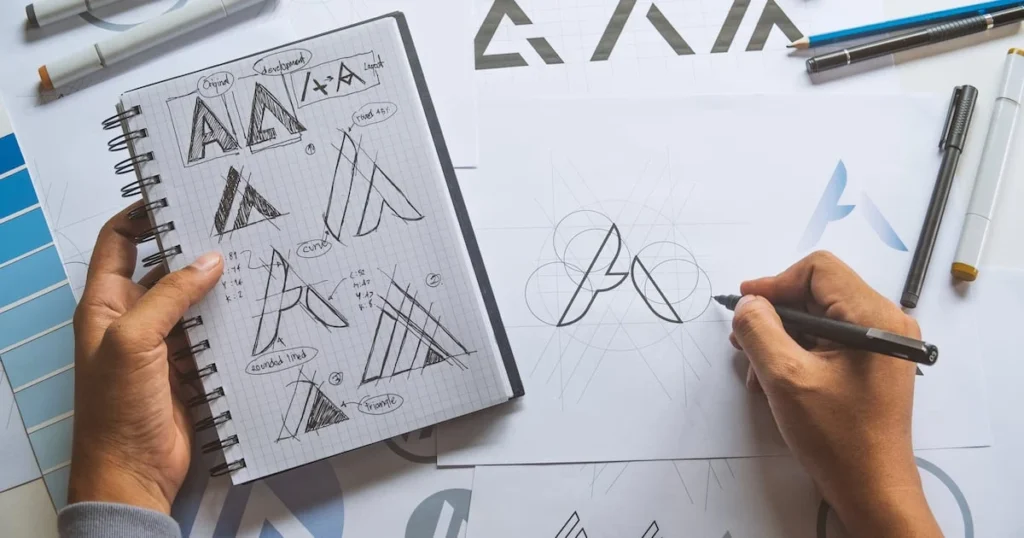
Branding is a core freelance service. These tools speed up the exploration stage.
8. Looka
Looka generates logo options and brand kits from a few inputs such as company name, style and colors. Many professionals do not deliver Looka’s output unchanged. Instead, they use it as an ideation tool to discover directions, then redraw and refine concepts manually so the final identity is original and fully ownable.
Best for: Early logo exploration for small-business clients.
Watch out for: Generated logos can resemble other marks, so run originality checks before delivery.
9. Khroma
Khroma learns which colors you like and generates palettes tailored to your taste. It is useful when you need fresh color directions fast, especially for clients who cannot describe what they want but know it when they see it.
Best for: Color palette exploration and brand color options.
Watch out for: Always test contrast ratios for accessibility before finalizing.
10. Fontjoy
Fontjoy uses AI to suggest font pairings with a balanced contrast between heading and body styles. It will not replace your typographic judgment, but it can quickly surface combinations you might not have tested.
Best for: Quick type pairing for web, social and brand guidelines.
Watch out for: Verify font licensing for client use before finalizing.
Best AI Image Editing and Enhancement Tools
Post-production eats time. These tools automate it.
11. Remove.bg
Remove.bg strips backgrounds from photos in seconds, which is a major time saver for e-commerce graphics, profile photos and product composites. Complex edges such as hair, glass and fur may still need manual cleanup in Photoshop, but the first pass is usually fast and accurate.
Best for: Product images, cutouts, quick composites.
Watch out for: HD downloads usually require paid credits.
12. LetsEnhance
Clients often send tiny, low-resolution logos or photos and expect large-format print results. LetsEnhance upscales and sharpens images using AI so you can rescue weak source files. It pairs well with Photoshop for final retouching.
Best for: Upscaling low-res client assets and old brand files.
Watch out for: AI can invent details, so inspect faces, text and fine textures at 100 percent zoom.
Best AI Tools for Motion, UI Mockups and Client Communication
Modern freelance work extends beyond static design. These tools cover the rest.
13. Runway
Runway offers generative video tools, background removal for video, and AI-assisted editing. Designers use it to create short animated social clips, motion backgrounds and promotional teasers without a full video team. If you are thinking about video as a content channel for your own business, see our guide to AI tools for YouTube automation.
Best for: Short-form motion graphics and video cleanup.
Watch out for: Generation limits and render times on lower plans.
14. Uizard
Uizard converts rough sketches or text prompts into editable wireframes and screen mockups. For freelancers pitching app or website concepts, it can turn a client conversation into a visual proposal quickly.
Best for: Rapid wireframes and early-stage UI concepts.
Watch out for: Mockups are starting points, not production-ready design systems.
15. AI Writing Assistants (ChatGPT and Claude)
General-purpose AI assistants will not create your artwork, but they can improve the business side of freelancing. Use them to turn messy client notes into a clear creative brief, draft proposals, write project scopes, brainstorm campaign taglines, summarize feedback rounds and prepare case-study copy for your portfolio. If you want to build habits that save hours every week, our roundup of AI productivity tools for students includes planning and note-taking apps that freelancers can borrow too.
Best for: Briefs, proposals, copy, research and client communication.
Watch out for: Never paste confidential client information into tools without understanding their data policies.
Best AI Tools for Freelance Designers by Task
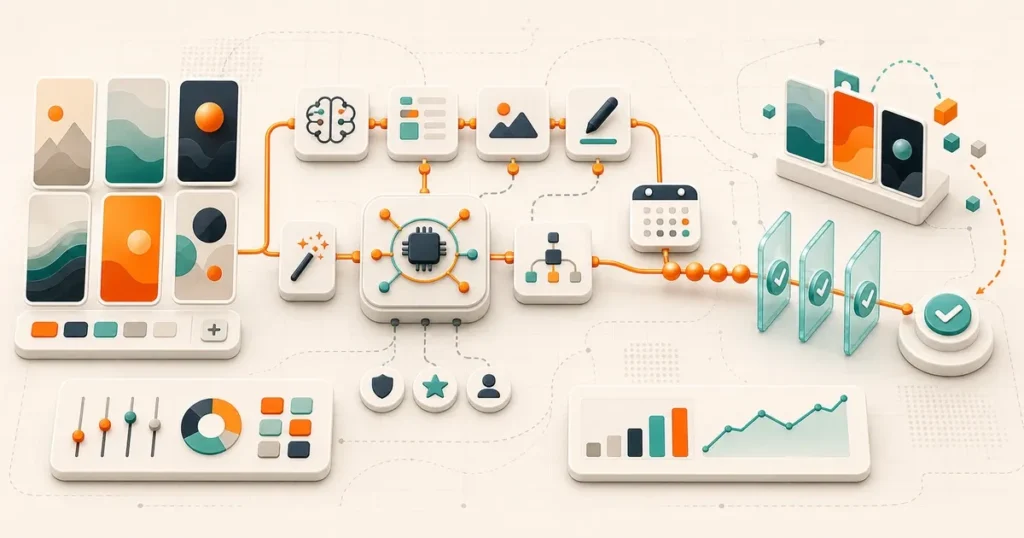
Use this second table when you know the job but not the tool.
| Freelance Task | Recommended Tools | Why They Work |
|---|---|---|
| Concept moodboards | Midjourney, Leonardo AI, Firefly | Fast visual exploration |
| Logo exploration | Looka, Ideogram, Firefly | Quick directions to refine manually |
| Social media graphics | Canva, Kittl, Firefly | Templates plus AI editing |
| Photo cleanup | Remove.bg, Photoshop Generative Fill, LetsEnhance | Saves retouching hours |
| UI and web mockups | Figma, Uizard | Wireframe speed and handoff |
| Color and typography | Khroma, Fontjoy | Taste-based suggestions |
| Motion and video | Runway, Canva | Short animated deliverables |
| Briefs and proposals | ChatGPT, Claude | Faster admin and communication |
Free vs Paid AI Tools for Freelance Graphic Designers
If you are just starting out, you do not need a dozen subscriptions. A smart minimum stack looks like this:
- Free starter stack: Canva free plan, Khroma, Fontjoy, free tiers of Leonardo AI or Ideogram, and a free AI assistant for brief writing.
- Professional stack: Adobe Creative Cloud with Firefly credits, Canva Pro, one premium image generator, and a paid assistant plan.
- Specialist add-ons: Figma for UI work, Runway for motion, LetsEnhance for print-quality upscaling.
Beginners and students entering the field can explore more budget-friendly options in our list of the best free AI tools for students. Start with free tiers, track which tools actually save you billable time for three months, and upgrade only where the return is clear.
How to Build an AI-Powered Workflow for Client Projects
A good workflow keeps AI in a supporting role and keeps you in charge of the final design.
Step 1: Turn the Client Brief Into a Clear Direction
Use an AI assistant to summarize the client’s goals, audience, tone and constraints. Confirm the summary with the client before you start designing, so you avoid expensive revisions later.
Step 2: Create Moodboards and Concepts
Generate visual directions with Midjourney, Firefly or Leonardo AI. Treat results as references, not finished work. Select two or three directions and present them as strategic options.
Step 3: Design and Refine Manually
Move into Illustrator, Photoshop, Figma or Canva and build the real layouts. Redraw logos, rebuild typography and adjust spacing by hand. This is where your skill and originality become visible.
Step 4: Use AI for Production Tasks
Remove backgrounds, upscale images, extend canvases and resize assets across formats. These are the repetitive tasks where AI saves the most time with the least risk.
Step 5: Quality Check Everything
Inspect AI-assisted work for distorted hands, garbled text, strange textures, unintended resemblance to existing brands and inconsistent lighting. Run a final check on licensing, fonts and file formats.
Step 6: Deliver Organized Files and Documentation
Send layered source files, exports, font notes and usage instructions. Clear documentation sets you apart from template sellers.
Legal and Ethical Considerations for Designers Using AI
Clients are rightly cautious about intellectual property, and you should be too.
Copyright and Ownership
Rules around copyright for AI-generated or AI-assisted work differ by country and continue to evolve. In the United States, the U.S. Copyright Office publishes guidance on works that include AI-generated material, and human authorship is a central issue. For freelancers, the practical lesson is simple: add meaningful human creative input, keep records of your process and avoid promising clients absolute copyright protection for purely generated imagery.
Commercial Licensing
Read each tool’s terms for commercial use, plan restrictions and prohibited content. Keep screenshots or saved copies of the terms that applied when you created a client’s assets.
Transparency With Clients
Many clients are happy for you to use AI, but some industries or brands have strict policies. Add a short clause to your contract explaining where AI may be used, how outputs are reviewed and who is responsible for final deliverables. Being upfront builds trust and prevents disputes.
Avoiding Style Imitation
Do not prompt tools to copy a living artist’s distinctive style or mimic a competitor’s brand identity. Beyond ethical concerns, it can create legal and reputational risk for you and your client.
How to Price Your Design Services When You Use AI
One of the biggest fears freelancers have is that faster production will force them to lower their rates. It does not have to.
- Charge for outcomes, not hours. A brand identity solves a business problem. The value comes from strategy, originality and results, not from how many hours you spent in the app.
- Package your services. Offer tiers such as starter, standard and premium brand kits with defined deliverables and revision rounds.
- Use saved time to add value. Include extra social templates, a short brand guide or a motion version of the logo instead of discounting.
- Account for tool costs. Build subscriptions and credit usage into your pricing model so margins stay healthy.
- Separate production from strategy. Clients will pay more for creative direction, brand positioning and consistency than for raw asset generation.
Using AI to Market Your Freelance Design Business
AI does not just help you design. It can help you get discovered and hired.
Build a Portfolio That Search Engines Can Understand
A beautiful portfolio that nobody finds will not bring clients. Use descriptive case-study pages, clear headings, alt text and service pages that explain who you help. Our guide to the best free AI tools for SEO shows how to research keywords and improve on-page optimization without a big budget.
Prepare for AI Search Visibility
People now ask ChatGPT, Gemini and Perplexity for designer recommendations. Clear service descriptions, consistent profiles, reviews and structured information help AI systems understand your business. Learn more in our breakdown of generative engine optimization services.
Sell Digital Products
Templates, presets, icon packs and brand kits can create passive income beside client work. If you plan to open your own shop, review our comparison of the best ecommerce platform for SEO to choose a store that supports good search visibility.
Getting Paid as a Freelance Designer
Working with international clients means dealing with invoices, currency conversion and payment fees. Choosing the right payment method protects your profit margin. Compare popular options in our review of the best mobile payment apps, and always check transfer fees, exchange rates and withdrawal limits before agreeing to payment terms with a new client.
Common Mistakes Freelancers Make With AI Design Tools
- Delivering raw AI output. Clients can generate raw output themselves. Your value is refinement, originality and judgment.
- Ignoring licensing. Assuming every tool allows commercial use is risky. Verify before you deliver.
- Using too many tools. A bloated stack wastes money and attention. Master a few tools deeply.
- Skipping fundamentals. Composition, hierarchy, typography and color theory still decide whether a design works.
- Not disclosing AI use when required. Check client contracts and industry rules to avoid surprises.
- Uploading sensitive files carelessly. Respect client confidentiality at all times.
- Following trends blindly. Choose tools that solve real problems in your workflow.
The Future of AI in Freelance Graphic Design
Expect AI to become more embedded inside the software you already use. Tools are moving toward conversational editing, semantic asset search, brand-consistent generation and tighter links between image, video and layout. Designers who learn to direct these systems, rather than compete with them, will be better placed to win higher-value work. To see how this fits into the bigger technology picture, read our overview of the latest technology trends shaping 2026.
The core skills clients pay for are not going away: understanding a business problem, translating it into visual language, making confident aesthetic decisions and delivering consistent, usable assets. AI changes how quickly you can execute. It does not replace judgment.
Frequently Asked Questions About AI Tools for Freelance Graphic Designers
What is the best AI tool for freelance graphic designers?
There is no single best tool. Adobe Firefly is a strong choice if you work in Adobe apps and want a clear commercial-use position. Canva is best for fast marketing assets, Midjourney for concept exploration and Figma for UI work. Most freelancers combine two or three tools.
Will AI replace freelance graphic designers?
AI is more likely to replace repetitive tasks than skilled designers. Clients still need strategy, brand understanding, originality and accountability. Designers who use AI to work faster and focus on higher-value services are well positioned.
Are there free AI tools for graphic designers?
Yes. Canva offers a free plan with AI features, Khroma and Fontjoy are free, and several image generators have free tiers with limited credits. Free plans can be enough for learning and small projects, but check whether they allow commercial use.
Can I use AI-generated images for client work?
Often yes, but it depends on the tool, your plan and the project. Read the commercial-use terms, add human creative input and be transparent with clients. For high-stakes branding, prefer tools with clear licensing and rebuild key elements manually.
Should I tell clients that I use AI?
It is a good practice to include a short AI-use clause in your contract or proposal. Transparency builds trust and avoids conflict, especially in industries with strict content policies.
Which AI tool is best for logo design?
Looka and Ideogram are useful for generating early ideas, and Firefly can help with concept exploration. For a professional final logo, redraw and refine the chosen direction in Illustrator or Figma so it is original, scalable and fully editable.
Which AI tools are best for beginners?
Canva, Khroma, Fontjoy and Remove.bg are easy to learn and low risk. Start with them, then add Firefly or Midjourney once you understand how to direct AI with clear prompts.
How do I write better prompts for design work?
Describe the subject, style, composition, lighting, color palette, mood and intended use. Add reference images where the tool supports them, iterate in small steps and save prompts that produce good results.
Final Thoughts: Build a Lean AI Stack and Keep Your Creative Edge
The best AI tools for freelance graphic designers in 2026 are the ones that save time on repetitive work, expand your service offering and fit smoothly into your professional workflow. Start with one tool for ideation, one for production and one for admin. Test them on real projects, document what works and refine your process.
Use AI as an accelerator, not an author. Your taste, strategy and client relationships are what make your work valuable, and no tool can replace them. Pick two or three tools from this guide, try them on your next brief, and measure how many hours you save.
Want more practical guides on AI, technology and finance? Explore the latest articles on Cognetify.

- How to Use Canva: 7 Easy Steps for Beginners - October 19, 2026
- How Much Is DEF Per Gallon in 2026? Best Prices & Savings - October 16, 2026
- Best AI Tools for Presentationin 2026 - October 15, 2026