
Building a YouTube channel used to mean spending entire weekends filming, editing, writing scripts, designing thumbnails, and figuring out titles — all before uploading a single video. For most people, that time commitment was the reason they never started or eventually gave up.
That equation has changed completely in 2026.
The best AI tools for YouTube automation now handle the most time-consuming parts of the video creation process — scripting, voiceovers, editing, thumbnail design, and SEO optimization — in a fraction of the time it used to take manually. Creators who understand how to build an AI-powered content workflow are publishing more videos, growing faster, and in many cases never appearing on camera at all.
At Cognetify.com, we simplify YouTube automation. We break down the best AI tools, provide step-by-step end-to-end workflows, and share expert insights on what to avoid so you can build a sustainable, long-term channel.
What is YouTube Automation
YouTube automation is the process of creating and publishing YouTube content without manually completing every step of production yourself. Instead of filming, editing, voicing, and designing everything by hand, you use a combination of AI tools, outsourced talent, or both to handle specific parts of the content pipeline.
In 2026, AI has made YouTube automation more accessible than ever. What previously required a team of writers, voiceover artists, and video editors can now be accomplished by a single person using the right tools — often in a few hours per video rather than a full day.
The result is a content creation pipeline that can run at scale without proportionally scaling your time investment.
How AI is Transforming YouTube Content Creation
AI has disrupted every stage of the YouTube production process. Script generation that once required hours of research and writing now takes minutes with ChatGPT. Voiceover recording that required studio time and talent fees is now replaced by realistic AI voices from tools like ElevenLabs. Video editing that demanded professional software skills is being automated by platforms like Descript and Pictory AI.
Beyond production, AI is improving discoverability. AI-powered title generation, thumbnail optimization, and keyword research tools help creators make better metadata decisions — which directly impacts how many people YouTube recommends their videos to.
Who Should Use YouTube Automation Tools
YouTube automation tools are a strong fit for several types of creators:
- Beginners who want to start a channel without on-camera confidence or video editing experience
- Bloggers and writers who want to repurpose written content into video format
- Marketers building brand channels at scale across multiple topics
- Entrepreneurs building faceless YouTube channels as a passive income asset
- Existing creators who want to increase publishing frequency without burning out
- Businesses creating educational or product-focused video content consistently
If you want to create YouTube content efficiently and scale it over time, AI automation tools are the most direct path available in 2026.
Why Use AI Tools for YouTube Automation in 2026
Save Time on Video Creation
The traditional video creation process — research, scripting, recording, editing, thumbnail design, title, and description writing — takes most creators six to twelve hours per video. With an optimized video automation workflow, that same process can be completed in one to three hours.
That time saving compounds significantly at scale. A creator publishing two videos per week saves over 600 hours annually by automating production steps — time that can be reinvested into strategy, niche research, or building additional channels.
Scale Content Production
One of the fundamental limitations of manual video production is that output is directly tied to available time. AI breaks that limitation. With the right tools in place, a single creator can produce three to five videos per week without sacrificing quality — a publishing pace that would require a production team to sustain manually.
Higher publishing frequency increases the number of videos competing in search, accelerates channel authority, and gives the YouTube algorithm more content to recommend — all of which compound into faster channel growth.
Build Faceless YouTube Channels
Faceless YouTube channels — channels that publish content without the creator ever appearing on camera — are one of the most popular passive income models in 2026. AI tools have made them dramatically easier to build.
With ChatGPT generating scripts, ElevenLabs producing voiceovers, and Pictory AI assembling footage around that audio, an entire video can be created without recording a single second of original footage or speaking a single word in front of a microphone.
For people who want the income potential of YouTube without the personal brand exposure, AI automation tools have made this model genuinely viable.
Best AI Tools for YouTube Automation in 2026
These six tools cover every stage of the automated YouTube production process, from script to published video.
ChatGPT – Best for Script Writing
Every good YouTube video starts with a strong script. ChatGPT is the fastest and most flexible tool for script generation available, and its free plan is more than sufficient for producing full-length video scripts.
For YouTube specifically, ChatGPT excels at:
- Writing complete video scripts with hook, body, and call to action
- Generating video ideas and titles based on a niche and a keyword
- Adapting scripts for different video lengths (short-form vs long-form)
- Writing SEO-optimized video descriptions and tags
- Creating scripts optimized for specific YouTube formats — listicles, tutorials, explainers, reviews
The key to getting strong scripts from ChatGPT is specificity in your prompts. Specify your niche, target audience, video length, tone, and target keyword, and the output will be structured and usable from the first generation.
Free plan: Yes — GPT-4o included in the free tier in 2026.
Best for: Script writing, video ideation, title generation, description writing.
Pictory AI – Best for Video Creation
Pictory AI is purpose-built for the exact workflow most YouTube automation creators use: paste a script or article, and Pictory automatically assembles a video with matching stock footage, captions, and background music.
The process is straightforward. You input your ChatGPT-generated script, Pictory identifies key phrases and selects visuals from its stock footage library to match each section, adds your chosen AI voiceover or uploaded audio, and renders a complete video — all without any manual editing.
For faceless YouTube channels in niches like finance, health, technology, travel, and education, Pictory’s stock footage library is deep enough to cover most topics convincingly.
Free plan: Yes — limited free video generations per month.
Best for: Automated video assembly, faceless channel content, text-to-video creation.
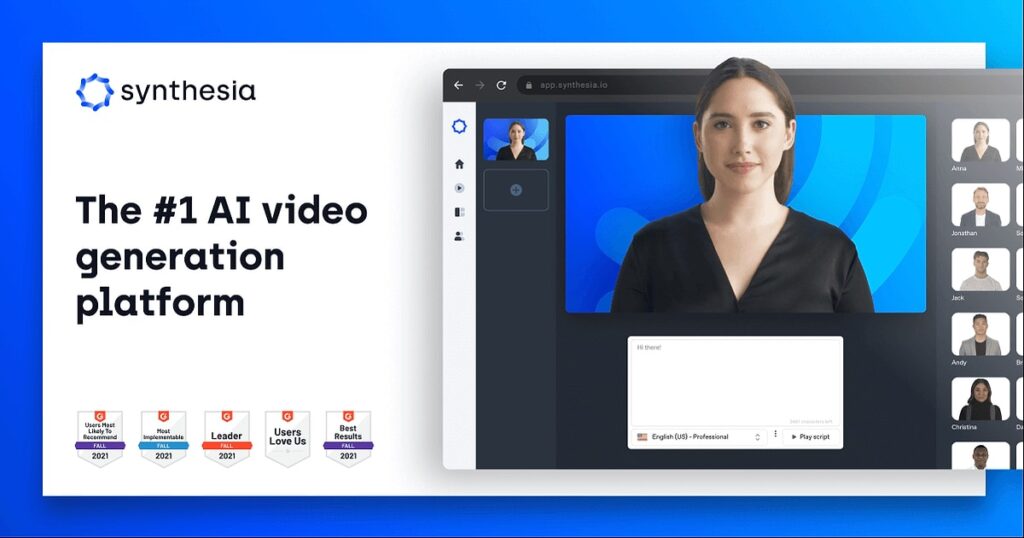
Synthesia – Best for AI Avatars
Synthesia takes a different approach to faceless content. Instead of stock footage, it uses AI-generated human avatars that appear on screen and present your script naturally — creating the visual impression of a real presenter without any filming required.
You type your script, select an avatar, choose a language and accent, and Synthesia renders a video of your avatar presenting your content. The results are polished enough for professional and educational channels that want a human presence without on-camera recording.
Free plan: Limited free tier — paid plans start at an accessible monthly cost.
Best for: Educational content, corporate channels, and faceless channels that want a presenter-style format.
ElevenLabs – Best for AI Voiceovers
Realistic voiceover has historically been the hardest element of YouTube automation to get right. Robotic AI voices are immediately off-putting to viewers and hurt retention. ElevenLabs solves this problem better than any other tool available in 2026.
ElevenLabs produces AI voiceover audio that is genuinely difficult to distinguish from a human recording at normal listening volume. You can choose from a wide library of pre-built voices or clone your own voice for consistent branding across all your videos.
For YouTube automation, the workflow is simple: generate your script in ChatGPT, paste it into ElevenLabs, select your voice, and download the audio file. That audio then goes into Pictory or Descript for video assembly.
Free plan: Yes — limited character generation per month on the free tier.
Best for: AI voiceover generation for faceless YouTube channels, podcasts, and explainer videos.
Descript – Best for Editing Automation
Descript approaches video editing automation from a completely different angle. Instead of a traditional timeline editor, Descript lets you edit video by editing the transcript. Delete a sentence from the text, and the corresponding audio and video clip disappear from the edit.
For YouTube creators who find traditional video editing intimidating or time-consuming, Descript removes the technical barrier almost entirely. You can also use Descript to:
- Remove filler words (“um,” “uh,” “like”) automatically across an entire recording
- Add captions and subtitles with one click
- Record screen captures and webcam footage inside the same tool
- Publish directly to YouTube from within Descript
Free plan: Yes — with a watermark on exported videos on the free tier.
Best for: Editing automation, filler word removal, caption generation, and creators who want a simpler alternative to traditional video editors.
Canva AI – Best for Thumbnails
Thumbnails are the single most important visual element on any YouTube video — they determine whether a potential viewer clicks or scrolls past. Canva AI makes professional thumbnail design accessible to creators with no graphic design background.
Canva’s AI features for YouTube thumbnails include:
- AI-generated background images and visual elements
- One-click background removal for photos
- Text style suggestions based on your content
- Thousands of YouTube thumbnail templates are sized correctly from the start
- Brand kit integration for consistent visual identity across all thumbnails
A strong, high-contrast thumbnail designed in Canva takes under ten minutes to produce and can meaningfully improve click-through rates — one of YouTube’s primary ranking signals.
Free plan: Yes — generous free tier with most design features available.
Best for: Thumbnail design, channel art, end screen graphics, and YouTube branding.
AI Tools for YouTube Automation Workflow (Step-by-Step)
This is the complete end-to-end workflow for producing an automated YouTube video using the tools above.
Step 1: Script Generation with AI
Open ChatGPT and prompt it with your target keyword, niche, video format, and desired length. A strong prompt looks like: “Write a 1,000-word YouTube video script for a faceless finance channel on the topic of how to build an emergency fund. The target audience is beginners aged 25 to 35. Use a conversational but informative tone. Include a strong hook in the first 30 seconds, five clear sections, and a call to subscribe at the end.”
Review the script, edit anything that does not match your channel’s voice, and verify any factual claims before moving to the next step.
Step 2: Voiceover Creation
Paste your finalized script into ElevenLabs. Select a voice that matches your channel tone — warmer and conversational for lifestyle content, authoritative and clear for finance or education. Generate the audio file and download the MP3.
If your video is long, break the script into sections and generate audio in segments to maintain quality consistency throughout.
Step 3: Video Editing and Assembly
Upload your ElevenLabs audio into Pictory AI along with your script. Pictory will match stock footage to each section of the script automatically. Review the footage selections, replace any clips that do not fit the context, adjust timing where needed, and add background music at a low volume level beneath the voiceover.
For creators who record original footage or screen captures, use Descript instead — import your footage, edit the transcript to trim the video, remove filler words, and export the final cut.
Step 4: Thumbnail and Title Optimization
Open Canva AI and select a YouTube thumbnail template. Use a strong, benefit-driven title on the thumbnail — something that creates curiosity or promises a clear outcome. Add a high-contrast image or AI-generated visual, keep text to under six words, and ensure the design reads clearly at small sizes (since most viewers see thumbnails on mobile).
For title optimization, go back to ChatGPT and prompt it to generate ten YouTube title variations for your video keyword. Select the one that most clearly communicates value and includes your target keyword naturally.
Step 5: Upload and SEO Optimization
When uploading to YouTube, treat every metadata field as an SEO opportunity. Write a description of 200 to 300 words that includes your target keyword in the first two sentences and again two to three times naturally throughout. Add ten to fifteen relevant tags. Select the most accurate category. Use chapters (timestamps) in the description to improve watch time signals.
RankMath or a similar SEO plugin can help if you are also publishing a companion blog post, which is a strong strategy for driving additional search traffic to each video topic.
Free AI Tools for YouTube Automation
Free Script Writing Tools
ChatGPT’s free plan is the strongest free script-writing tool available in 2026, with no meaningful restrictions for this use case. For additional ideation, Google’s free tools, including Search Console data and YouTube’s autocomplete, surface real search queries to build script ideas around.
Free Video Creation Tools
Pictory AI’s free tier allows a limited number of video generations per month, which is sufficient for testing the workflow and for low-frequency publishing. Canva’s free plan covers all thumbnail creation needs with no generation limits for standard design work.
Free Voiceover Tools
ElevenLabs’ free plan provides a monthly character limit that covers several short to medium-length video voiceovers. For creators who need more volume than the free tier allows, Google Text-to-Speech (accessible via API) is a free alternative — though the output quality is noticeably lower than ElevenLabs.
Comparison of Best AI Tools for YouTube Automation
| Tool | Best For | Free Plan | Skill Required | Primary Function | Best Channel Type |
|---|---|---|---|---|---|
| ChatGPT | Script writing | Yes | Low | Script and copy generation | All types |
| Pictory AI | Video creation | Limited | Low | Text-to-video assembly | Faceless channels |
| Synthesia | AI avatars | Limited | Low | Avatar video presentation | Education, corporate |
| ElevenLabs | AI voiceovers | Yes (limited) | Low | Realistic voice generation | All faceless channels |
| Descript | Editing automation | Yes (watermark) | Low-Medium | Transcript-based editing | Talking head, mixed |
| Canva AI | Thumbnails | Yes | Low | Thumbnail and graphic design | All types |
How to Choose the Best AI Tools for YouTube Automation
Based on Content Type
Faceless channels using stock footage need Pictory AI and ElevenLabs as their core stack. Channels that want a presenter on screen without filming need Synthesia. Channels that record original footage and want faster editing need Descript. Every type of channel benefits from ChatGPT for scripting and Canva for thumbnails — these two tools are universal across all YouTube automation formats.
Based on the budget
A complete free-tier stack — ChatGPT for scripts, ElevenLabs free for voiceover, Pictory free for video, Canva free for thumbnails — is functional enough to launch and test a channel with no upfront investment. The limitations of free plans (generation caps, watermarks) become relevant after publishing frequency increases. At that stage, upgrading Pictory AI and ElevenLabs first delivers the most direct quality improvement per dollar spent.
Based on Skill Level
Every tool on this list is designed for users with no technical background. Canva and ChatGPT have the lowest learning curves — functional from the first session. Pictory and ElevenLabs require one to two hours of experimentation to understand how to get consistent quality. Descript has the steepest curve of the group but still requires no video editing experience — just comfort with a text editor.
Benefits of Using AI Tools for YouTube Automation
AI-powered YouTube automation delivers compounding advantages that manual production simply cannot match at the same scale.
Publishing frequency improves dramatically when each video takes two to three hours instead of a full day. Channel authority builds faster when the algorithm has more content to index and recommend. Production costs stay low when AI tools replace the need to hire voiceover artists, editors, and thumbnail designers. Creator burnout decreases when the most repetitive and technically demanding parts of production are handled automatically.
For creators building channels as a passive income stream, the financial model also improves. A channel with 50 videos generates more search traffic than a channel with 10 videos — and if each of those 50 videos took two hours to produce instead of ten, the total time investment to reach that milestone was 100 hours instead of 500.
Limitations of YouTube Automation with AI
Transparency about limitations helps you build a realistic strategy rather than an overpromised one.
AI-generated content, without genuine human insight and editing, tends to feel generic. Viewers are increasingly adept at recognizing and disengaging from content that lacks original perspective, specific examples, or authentic personality — even when the production quality is high. Channels that use AI tools purely for output, without any human editorial layer, typically see lower audience retention and slower growth than channels that use AI to assist a genuinely informed creator.
YouTube’s monetization policies require content to meet quality thresholds that purely automated, low-effort content does not always meet. Channels flagged as repetitive or mass-produced risk demonetization under YouTube’s terms of service.
AI voiceover, while significantly better than it was two years ago, still sometimes mispronounces industry-specific terms or has unnatural rhythm in long passages — both of which require human review before publishing.
Tips to Grow Faster Using AI YouTube Automation
Focus on Niche Selection
The niche you choose determines everything else — competition level, monetization potential, content volume, and audience retention. High-competition niches like general finance or tech news are extremely difficult for new channels to break into, regardless of production quality. Narrower niches — budget travel for families, AI tools for teachers, personal finance for freelancers — have lower competition, more specific audiences, and higher viewer loyalty.
Use ChatGPT and Ubersuggest together to evaluate niche keyword volume and competition before committing to a direction.
Optimize Titles and Thumbnails
The algorithm distributes your video. Your title and thumbnail determine whether people click on it. These two elements deserve more attention than any other part of your workflow.
Test thumbnail variations using YouTube’s built-in A/B testing feature (available to channels in the YouTube Partner Program). Study which title formats perform best in your niche by analyzing the top-performing videos in your space and identifying patterns in phrasing, length, and structure.
Stay Consistent with Uploads
The single most reliable growth factor for any YouTube channel is upload consistency. The algorithm rewards channels that publish on a predictable schedule. AI automation tools make this consistency sustainable — even for solo creators with limited time.
Choose a publishing frequency you can maintain with your AI workflow — whether that is one video per week or three — and hold to it for at least 90 days before evaluating results. Consistency over 90 days produces data-driven insights about what content is working; anything shorter is too early to draw conclusions.
Common Mistakes in YouTube Automation
Low-Quality Content
The most common and damaging mistake in YouTube automation is prioritizing volume over quality. Publishing ten mediocre videos per month is worse for channel growth than publishing four strong ones. Each video should fully answer the question it promises to answer in the title, hold viewer’s attention with good pacing and structure, and deliver enough value that a viewer would recommend it to someone with the same question.
AI tools should accelerate high-quality production, not justify low-quality shortcuts.
Over-Reliance on AI
AI tools are production assistants, not content strategists. The creative decisions that determine whether a channel builds a real audience — niche selection, unique angle, content differentiation, community engagement — cannot be delegated to AI. Creators who treat automation as a replacement for strategy consistently struggle to grow past the early stages.
Ignoring SEO Optimization
Many YouTube automation creators focus entirely on production and neglect the discovery side of the platform. A perfectly produced video that no one finds generates zero views. Every video needs a properly researched target keyword, an optimized title and description, relevant tags, and a thumbnail designed for click-through.
Use Ubersuggest or SEMrush’s free tier to validate that your target keyword has real search volume before you invest production time. Publish without this step, and you are producing content without an audience.
FAQs – AI Tools for YouTube Automation
What are the best AI tools for YouTube automation?
The strongest all-around stack for YouTube automation in 2026 combines ChatGPT for script writing, ElevenLabs for voiceover, Pictory AI for video assembly, and Canva AI for thumbnails. This combination covers the full production pipeline with minimal manual effort. Descript is the best addition for creators who record any original footage and want faster editing.
Can AI fully automate a YouTube channel?
Technically, the production steps can be largely automated — scripting, voiceover, video assembly, thumbnail creation, and basic SEO can all be handled with AI tools. However, full automation without human oversight rarely produces content that builds a genuinely engaged audience. The most successful automated channels use AI to handle production while a human guides strategy, reviews output quality, and ensures content delivers real value.
Are AI-generated videos monetizable?
Yes — AI-generated videos can be monetized through the YouTube Partner Program as long as they meet YouTube’s quality standards and do not violate its content policies. YouTube’s key requirements are that content must be original (not re-uploaded from other sources), must provide genuine value to viewers, and must not be repetitious or mass-produced in a way that lacks meaningful differentiation. AI-generated content that meets these standards is eligible for monetization.
Is YouTube automation legal?
Yes, YouTube automation is completely legal. Using AI tools to produce content, outsourcing production tasks, and publishing faceless content are all standard practices that do not violate YouTube’s terms of service. The legal and policy considerations relate to content quality and originality — not the method of production. As long as your content does not infringe copyright, does not use re-uploaded footage without rights, and meets YouTube’s community guidelines, automated production is fully permitted.
Conclusion – Best AI Tools to Start YouTube Automation
AI tools for YouTube automation have fundamentally changed what is possible for independent creators in 2026. Building and scaling a channel no longer requires expensive equipment, professional editing skills, or the willingness to appear on camera.
The simplest starting point is a three-tool stack: ChatGPT for your script, ElevenLabs for your voiceover, and Pictory AI to assemble the video. Add Canva AI for thumbnails, and you have a complete production workflow that most new creators can run from day one.
Choose a specific niche, publish on a consistent schedule, and treat every video as a genuine attempt to answer a real question well. That combination — good niche selection, consistent output, and genuine value — is what separates channels that grow from channels that stall, regardless of how advanced the tools behind them are.
The tools are ready. The only remaining step is starting.
Want more guides on AI tools, content creation, and digital income strategies? Explore more on Cognetify — your source for smart digital insights in 2026.

- 15 BestAI Tools for Content Writing Free 2026 (Tested) - April 8, 2026
- I Tested 15 Best Free AI Tools for Students 2026 – Best Free Picks That Actually Work - April 3, 2026
- 9 Best AI Tools for YouTube Automation in 2026 | Cognetify - April 2, 2026